



As the number of users continues to rise, concerns about personal data protection and privacy are becoming more prevalent. Have you taken steps to protect yourself online? Instagram shows your online status and activity to followers by default — but you can turn this off. In this guide we cover every setting you need to keep your Instagram presence as private as you want it.
How to Turn Off or Hide Instagram Activity Status from Others
Hide your Instagram activity status to keep your online presence private. Below are the steps to disable this feature across different devices.
How to Turn Off Your IG Activity Status on Android and iPhone
Follow these steps:
- Open IG on your phone.
- Tap the Profile icon at the bottom.
- Tap the three-line menu in the upper-right corner to open Settings.
- Scroll down and select Messages & Stories Replies.
- Select Show Activity Status.
- Toggle off Show Activity Status.
Your followers will no longer see your current activity or when you were last online. But you won't see theirs either unless you have a dedicated third-party app.
How to Turn Off Instagram Activity Status on Mobile Browser
To turn off activity status using a mobile browser, open Instagram.com in your browser and sign in.
- Tap the Profile icon.
- Tap the Settings option in the top left corner.
- Scroll down to Messages & Stories Replies.
- Tap Show Activity Status.
- Toggle the option off to hide your activity status.
Why Would You Want to Hide Your Instagram Account?
In today's world, personal privacy is often at risk. Almost anyone can follow you and get information about your life based on your posts and activities. Hiding your Insta account helps to protect your privacy. If you are uncomfortable with strangers or specific people seeing your content, control who views your posts. Cyberbullying has become an unpleasant problem for many. By hiding your account, you reduce the risk of facing online harassment. So, how to hide your activity on Instagram?
How To Hide Your Account On Instagram
There are several ways to hide your account. Or just make it more difficult for people to find you on Instagram.
Turn off Similar Account Suggestions
This setting prevents your account from being suggested to other people who follow similar accounts.
Make Your Account Private
How to hide your activity on instagram? Set your account to private. Existing subscribers will not be automatically removed.
Disable Contact Syncing
How to hide your account on Instagram? Turning off contact syncing prevents your account from appearing in suggestions for others.
Block Accounts You Want to Stay Away From
Blocking accounts prevents them from following you or seeing your content unless they create an alternate account.
Deactivate Your IG acсount
While it’s deactivated, you won’t be able to access your IG account or interact with others until you reactivate it.
Enter your account password and confirm by clicking Continue to deactivate your account. Want to access other accounts anonymously even after that? With Accountviewer.org, you can!
Browse Instagram Without an Account Using Accountviewer
Hiding your own activity is only half the equation. If you want to browse Instagram profiles without logging in — without appearing in story viewers or followers lists — Accountviewer is an Instagram profile viewer that lets you do exactly that.
No Instagram account required. No app to install. This great private instagram viewer works in your browser on any device.
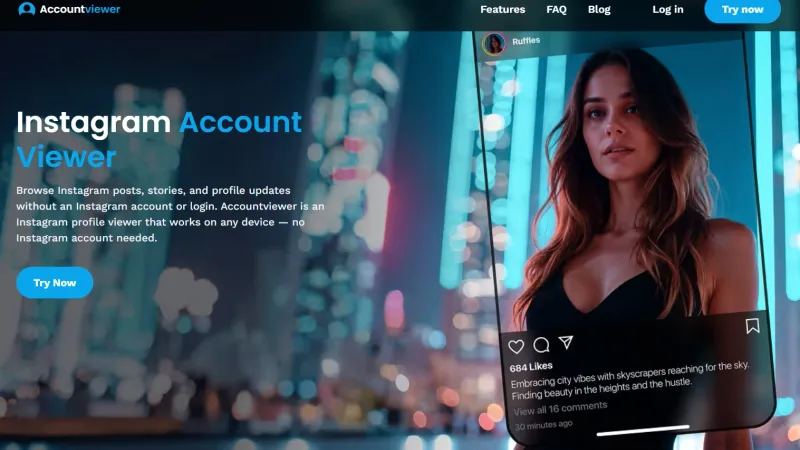
What you can do with Accountviewer:
- Browse Instagram profiles and stories without logging in
- Access posts and profile updates through your personal dashboard
- View stored content for up to 3 months via the Personalized Content Hub
- Get help from Premium Support — available 24/7 by chat and phone
- Your browsing stays completely private — no personal data stored
How to get started:
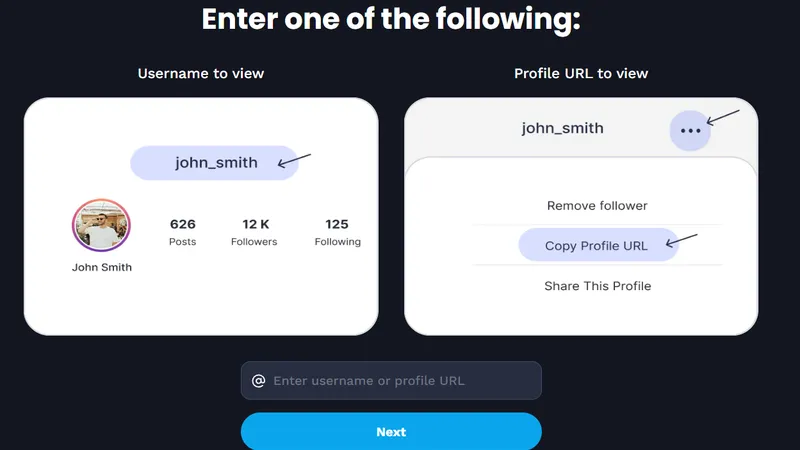
- Go to accountviewer.org and click "Try Now"
- Enter the username of the profile you want to browse
- Choose your subscription plan
- Access your dashboard and start browsing
FAQ
No — hiding your activity status only removes the green dot and "Active now" indicator. Your posts remain visible to your followers as usual.
Yes — hiding your activity status does not affect story views. If you view someone's story while logged in, they can still see your username in their viewer list.
No — Instagram does not send any notification when you change this setting. The change is silent.
The only way to browse Instagram profiles with no trace is to use a viewer tool that doesn’t require you to log in. Accountviewer lets you view profiles and stories without an Instagram account — nothing is visible to the profile owner.
Conclusion
Protecting your privacy on Instagram starts with the right settings. Hide your activity status, switch to a private account, and control who can find you. And if you want to browse other Instagram profiles without logging in or leaving a trace, Accountviewer gives you a clean way to do it.