


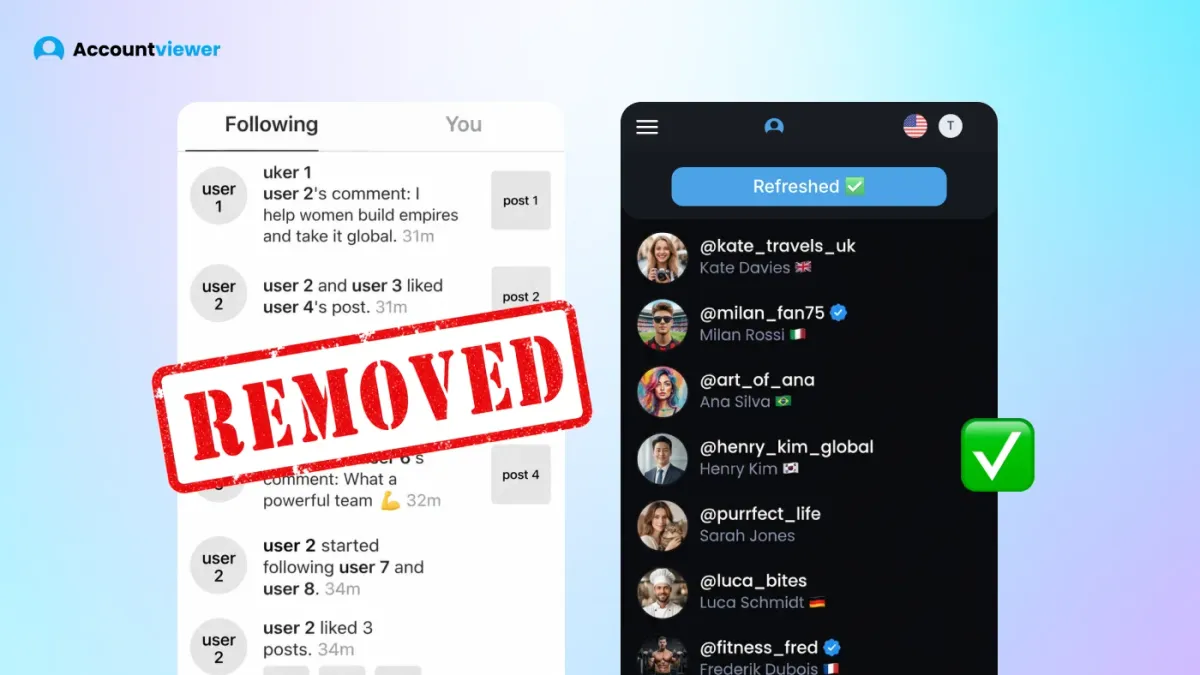
How to see who someone recently followed on Instagram used to have a straightforward answer — there was a Following Activity tab showing which accounts someone recently followed, in chronological order. Instagram removed it in October 2021. That's why people are still searching.
How to see who someone recently followed on Instagram: the way the old tab allowed isn't possible natively anymore. For public accounts, you can still view the following list — but Instagram no longer sorts it by date. For private accounts, the list isn't visible at all unless you follow them. The only reliable way to track recent follows with a timeline is a monitoring tool that logs changes automatically.
Can You See Who Someone Recently Followed on Instagram?
The answer depends on whether the account is public or private — and in both cases, the result is more limited than most people expect.
Public accounts
Go to their profile and tap the Following tab. The list is there — but seeing who someone recently followed in date order isn't possible from this view. How can I see who someone recently followed on Instagram by date? Instagram replaced chronological sorting with its own algorithm, and the order it shows you means nothing. The account at the top could have been followed yesterday or three years ago — there's no date stamp, no filter, and no way to sort by recency.
Private accounts
If you're wondering how to see who someone followed recently on Instagram and the account is private, the problem is different. The following list isn't visible at all unless you follow them and they accept. To see private Instagram profiles and their following activity, a third-party monitoring tool is the only route. There's no workaround within Instagram itself — the list doesn't load for non-followers at all.
How do you see who someone recently followed on Instagram with actual date context — the honest answer is: not through Instagram's native app. The platform stopped exposing that data after the activity tab was removed. For both public and private accounts, a monitoring tool is the only option that gives you a real timeline.
Why You Can't See Recent Follows in Order Anymore
Before October 2021, Instagram had an Instagram following activity tab inside the notification bell. It showed which accounts someone recently followed, in chronological order — updated in real time. People used it to keep tabs on partners, track competitors, and follow what influencers were doing. It was one of the most-used features on the platform.
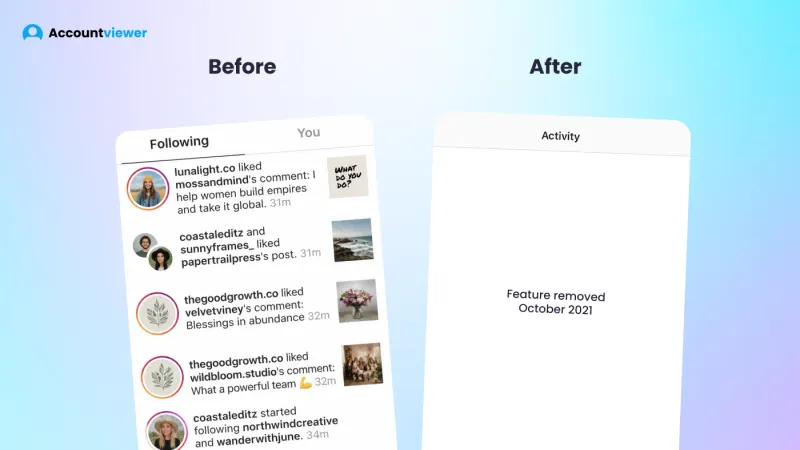
Instagram removed it in October 2021, citing privacy concerns. The official reasoning was that people didn't know others could monitor their activity so closely. Since then, the following list still exists on public accounts — but it's sorted by an algorithm that Instagram doesn't explain and doesn't let you override. You can open someone's Following tab today and see 600 accounts in an order that tells you nothing about when any of them were added.
No native feature replaced the activity tab. Instagram hasn't brought it back. The platform won't answer how to see who someone recently followed on Instagram with date context — and three years later, people are still searching because nothing has changed.
How to See Who Someone Recently Followed — Methods That Work in 2026
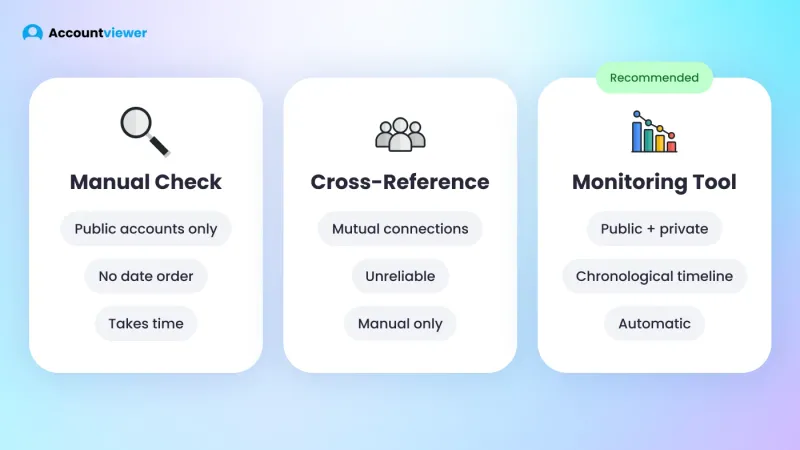
There are 3 methods worth knowing, and they're not equal. Before getting into each one, it's worth being clear: none of them replicate the old activity tab exactly. When you want to see who recently followed someone on Instagram, what each method delivers is very different — a rough name check is not the same as a real timeline with dates.
Method 1 — Manual check (public accounts only)
How do you see who someone recently followed on Instagram using the native app? Go to their profile, tap Following, and scroll the list. You see names, but not dates. The list isn't chronological. Instagram's algorithm determines the order, and it shifts between visits. For a one-time curiosity check on a public account, it's fine. There is no native answer to how to see who someone recently followed on Instagram through manual browsing — the date context was removed along with the activity tab.
Method 2 — Cross-reference mutual connections
If you share mutual followers, you can sometimes spot new followers through their interactions. How to tell who someone recently followed on Instagram this way is unreliable — it depends on mutual connections engaging with those new followers in a way you'd actually see. Most of the time, you won't. It's more luck than method, and it gives no timeline regardless.
Method 3 — Monitoring tool with Activity Tracker
The only reliable way to see who someone has recently followed on Instagram is with a monitoring tool that logs changes automatically. A dashboard that monitors an account records every following change over time, builds a chronological timeline, and covers both public and private accounts without any manual effort.
For anyone asking, "How can I see who someone recently followed on Instagram?" on a private account specifically, manual checking won't work at all. The following list isn't accessible from the outside, and a monitoring tool handles both the access and the logging together.
To understand how to see who someone recently followed on Instagram with dates, Method 3 is the only answer. This is what Instagram activity tracker is built to do.
How to See Who My Boyfriend (or Girlfriend) Recently Followed on Instagram
This is the most common reason people land on this topic. It usually comes from somewhere specific — a follower count that keeps ticking up, a name that keeps appearing in conversation, or a general need to understand what's happening without having to ask directly. There's no judgment here. The question of how to see who someone recently followed on Instagram comes up most often in these situations.
If you want to see who your boyfriend recently followed on Instagram, Instagram itself gives you no direct answer. For public accounts, the following list exists but has no date order — you can see names but not when each event happened. For private accounts, the list isn't visible at all unless you follow them yourself.
The scenarios that bring people here tend to follow a familiar shape. Someone notices a pattern and checks the Following tab. They scan hundreds of accounts in an order that makes no sense chronologically. They check again a week later and still can't tell what changed. For anyone trying to figure out how to see who my girlfriend recently followed on Instagram — for private accounts especially — a monitoring tool is the only option that gives a real timeline.
How to see who my boyfriend recently followed on Instagram is the most-searched version of this question — and the answer is the same regardless of which account you're trying to understand. The tool builds the timeline. You review it when you need to.
Accountviewer — Track Who Someone Recently Followed Automatically
The Accountviewer's Advanced Analytics Dashboard logs follower and following changes over time — building the chronological activity timeline that Instagram removed in 2021. Every new follow is recorded with date context, so you're not relying on memory or manual checks. How to see recent followers on Instagram with actual dates is exactly what the dashboard is built for — it covers both public and private accounts, lets you see who someone recently followed with a real timeline, and the log builds automatically from the moment you add an account.
Advanced Analytics Dashboard / Activity Tracker
This is the lead feature for this use case. The activity tracker monitors the following changes across every account you've added and logs each new follow with timing and context. The dashboard builds the timeline automatically — you don't need to check manually or try to remember what the list looked like last week. Every change is recorded from the moment monitoring starts, giving you the date-ordered history that Instagram no longer provides. You can scroll back through weeks of activity, see when new follows happened, and spot patterns that would be invisible from a single manual check.
When you have an automatically updated record, how to see who someone recently followed on Instagram stops being a question you have to chase — the answer is already there.
Personalized Content Hub — 3-Month Storage
Everything from monitored accounts goes into a personal dashboard and stays there for 3 months. Posts, stories, reels — all archived automatically. If content gets deleted after it was captured, your copy remains. Storage is 3 months, not an approximation.
Private Account Viewer
You can view private Instagram profiles as well as public ones — enter a username and the dashboard loads content without sending a follow request or notifying the account owner. Following activity on private accounts is logged the same way as public ones. For anyone looking for how to see recent followers on Instagram on a private account, the manual approach won't work. For a private Instagram viewer with no verification, the setup process is identical.
Hassle-Free Experience
No Instagram login. No app to download. Open a browser, enter an email, pick a plan — full setup done. If you've ever tried to view Instagram without an account using other tools that required installations or account connections, the difference is noticeable. Works on any device: phone, tablet, or laptop.
Security — No Personal Data Stored
Everything you do stays private. Nothing about what you access is logged, stored, or shared with third parties. No trail left behind — that applies to every account you add and every piece of content you access.
Premium Support — 24/7 Chat and Phone
A real person is available by chat or phone at any hour — not a ticket queue, not a help article. For a tool most people use outside standard business hours, that availability matters more than it might seem. Questions get answered when you actually need them.
How to Get Started — 4 Steps
- Go to the website — no app, no install, opens straight in your browser on any device.
- Enter the Instagram username you want to monitor — just the handle, nothing else required.
- Choose a plan and sign up with your email address. No Instagram login at any point.
- Your dashboard starts building — the following changes are logged automatically from the moment monitoring starts.
FAQ
You can view the following list on public accounts — but it isn't sorted by date. Instagram uses an algorithm to determine the order, so the most recently followed account won't reliably appear first. For private accounts, the following list isn't visible at all without following them. A monitoring tool is the only reliable way to see who someone recently followed on Instagram with an actual timeline.
Instagram removed the Following Activity tab in October 2021, which previously showed recent follows in chronological order. Since then, the following list uses algorithmic sorting — not date order — and no native feature has replaced it. It's been three years since the feature was removed, and how to see who someone recently followed on Instagram is still one of the most searched questions on this topic.
If you search how to see who my boyfriend recently followed on Instagram, you already know the problem — Instagram shows you a list on public accounts, but the order means nothing and there are no dates. For private accounts, you can't see the list at all. A monitoring tool fills that gap directly: every following change gets logged automatically, and the timeline builds from the moment you add the account.
Apps that show who someone recently followed on Instagram, which log changes over time, work by continuously monitoring an account and recording every following change with timing context. That gives you the chronological activity record that Instagram's native app no longer provides.
Conclusion
Instagram no longer offers a native way to see who someone recently followed, in chronological order or otherwise — the feature was removed in 2021 and never replaced. If you're looking for how to see who someone recently followed on Instagram today, manual checking works for a rough look at public accounts but gives no timeline and nothing for private profiles. A monitoring tool that logs the following changes automatically is the only option that delivers real date context — it builds that chronological picture from the moment you add an account and keeps it updated without any manual effort on your part.